
Connect outside services
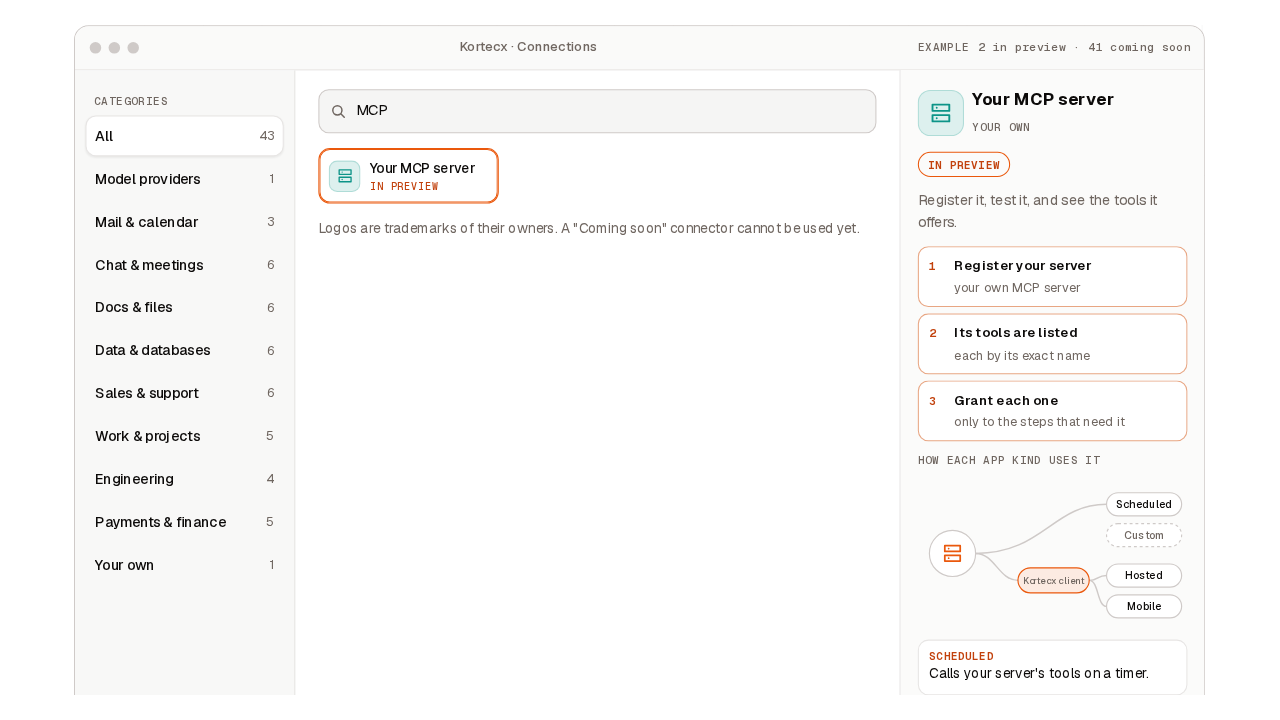
Connect an outside service, such as Slack, Notion or Gmail, so your agents can use its tools by name.
A connection is an outside service Kortecx is allowed to act on for you: read a Slack channel, search a Notion workspace, draft a Gmail message, post to Discord.
You do not write code to add one. You name where the service lives. Kortecx then asks the service what tools do you have? and lists the answer for you. From that moment those tools exist for your agents by name.
The protocol it uses is MCP (the Model Context Protocol) — a small, standard way for a program to publish a list of callable tools. A server that speaks MCP over HTTP can be connected once its host is allowed on your deployment, and registering one whose host is not yet allowed can ask for it.
You hold your own token
You bring the credential yourself: a Slack bot token, a Notion integration token, Gmail client credentials, a Discord bot token. There is no "sign in with…" button — the console shows that as a disabled affordance rather than pretending it works.
Why two providers can both offer "search"
Slack has a search. Notion has a search. Gmail has a search. They cannot collide, because the runtime namespaces every discovered tool by the connection name you registered it under:
<connection name>/<remote tool name>So the three land as slack/search, notion/search and gmail/search. The connection name is yours to choose, and it is the half of the id an agent grant is written against. If you name a Slack connection work-slack, the tool is work-slack/search — and an agent must be granted work-slack/search, not slack/search.
Because the namespace is exact, removing a connection is exact too: it deregisters everything under that prefix and nothing else.
A name with a slash in it is refused
The connection name namespaces tool ids, so it may not contain /. The runtime rejects the registration rather than producing an ambiguous id.
What "dialing" actually does
When you run add (or discover, or restart the runtime), the sequence is the same one every time:
Vet the destination
For an HTTP connection the host is checked before anything is opened. A host written as an IP address that is loopback, private, link-local, carrier-NAT, multicast or a metadata address is refused outright; a DNS name is admitted and then re-checked against the address it actually resolves to at dial time. A credential embedded in the URL (user:pass@host) is refused — credentials go through the by-name path only. On the managed cloud the host must also be on the deployment's allow-list, and a host that is not listed is refused. The list is re-checked on every dial, so removing a host later is retroactive rather than grandfathered.
Open a session and initialize
The MCP handshake. The runtime records the protocol version the server negotiated, for diagnostics — an older or newer server still dials.
Ask tools/list
The service returns its tools with their input schemas. This is the "asks what it can do" step, and it is what makes the connection real rather than declared.
Write the answer down
Each tool is registered under <connection>/<tool> and becomes callable by that name. The registry survives restarts, and on restart the runtime re-dials every stored connection in the background so the tools come back.
Reachability has exactly one definition — the full handshake plus tools/list. add, test and discover all run that same probe, so they can never disagree with each other about whether a server is up.
A failed dial is recorded honestly. The connection is stored with health unreachable and 0 tools rather than being silently dropped or reported as a success. Fix the service, then run discover again.
Letting an agent use the connection
Registering a connection makes its tools exist. It does not make them fire. A tool fires only when a run's grant names it — presence is never permission.
In an app, declare which connector the app dials, and separately list which tools the agent may fire:
You can see your connections in the console. What it does show is which tools a connection brought in, and, once a run has used one, every call that fired and every call that was refused.
Open the run in the console to read what the agent actually did with it.
The agent's tools list says these are the ones it may fire.
Grant them by the connection name you registered — slack/read_channel — not by the connector's own name.
An agent step needs a model, and so does a tool test: it runs on a provider connected to your workspace.
Because the app carries only names, it carries no authority of its own.
The same idea covers multiple agents: they chain inside one app, as steps of its workflow file.
Approvals are opt-in — and they cover every MCP tool
Every tool discovered over MCP is registered as world-mutating, whether it reads or writes. That classification only bites when the run asks for a human gate.
With the gate on, each MCP tool call is held for your decision before it fires — including a read like slack/read_channel. With it off, the calls fire inside the run. See Approvals.
When it does not work
A tool call that fails with an authorization error usually means the credential name is set but the value is wrong or expired. Replace the secret's value, and then test the tool again to confirm.
A connection that dialed once and now reports unreachable means the service or the token changed underneath it.
If dials are being refused faster than you expect, note that each connection has its own budget: by default a burst of 20 dials per connection, refilling at 10 per second. Repeated add/test/discover in a tight loop will be throttled per server.